Newsletter Subscribe
Enter your email address below and subscribe to our newsletter

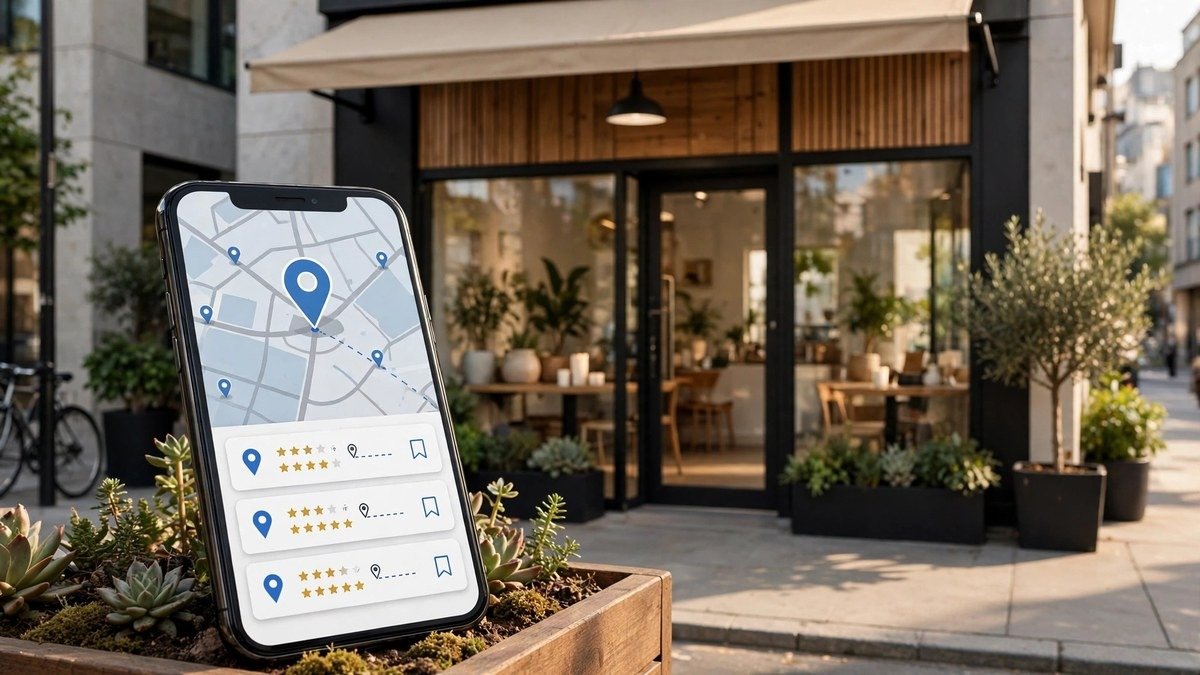
Local SEO for small businesses helps nearby customers find your products and services on Google Search and Maps. It connects your business with people looking for local solutions, which can lead to more calls, website visits, and sales.
You don’t need a large budget to get started. A complete Google Business Profile, local keywords, accurate business listings, and helpful website content can improve your online visibility.
You can also use SEO tools to research keywords, review competitors, and track your progress. Businesses exploring paid SEO platforms can compare options through Group Buy SEO Tools, a website offering access to different SEO tools through group-buy services. Check each tool’s terms and access limits before choosing a plan. Another service to compare is seotoolsgroupbuy.us.
This guide covers local search ranking factors, website optimization, customer reviews, backlinks, and a practical 30-day action plan.
Local SEO is the process of improving a business’s visibility in search results for a specific location. It helps nearby customers find your services when they search online.
For example, someone may search for “plumber in Austin” or “coffee shop near me.” Google then shows businesses that match the search and location.
Unlike broad marketing, local search optimization focuses on people in the areas your business serves.
Local SEO helps Google understand what your business offers, where it operates, and which customers it serves.
Google uses business information, location signals, website content, and other factors to show relevant local results.
A repair shop in Dallas, for example, can improve its local presence by listing its services, keeping contact details accurate, and creating useful repair pages.
Traditional SEO aims to improve website visibility for a broad range of searches. Local SEO targets searches linked to a specific place.
A general blog might target “how to fix a leaking pipe.” A local plumber may target “emergency plumber in Houston.”
Both use helpful content and trusted links. Local SEO places more focus on Google Maps, business listings, service areas, and customer reviews.
The Google local pack is a group of nearby business listings that may appear with a map in Google Search.
These results can show business names, reviews, addresses, and contact options.
Organic results are standard website listings below or around other search features.
A local business can appear in both. This gives customers more ways to find its services.
Local SEO helps small businesses reach customers who need nearby products or services.
It can improve local brand awareness, build trust, and support steady business growth.
People often choose businesses they can easily find online.
A complete Google Business Profile helps customers see your services, hours, and location. A useful website offers more details.
This visibility can help customers become familiar with your business.
Local SEO targets people searching within a specific area.
Someone searching for “car wash in Phoenix” may be ready to visit a nearby business.
Appearing in relevant results can bring more qualified local traffic to your website or store.
Customers want reliable information before contacting a business.
Accurate contact details, real photos, and genuine customer reviews help people make informed choices.
Keeping your information current also creates a more professional online presence.
Many basic local SEO tasks are free.
Business owners can create a Google Business Profile, update listings, and publish helpful content without paying for advertising.
SEO may still involve time, tools, or professional support. Yet small businesses can start with a limited budget.
Small companies can target local searches instead of competing for broad national keywords.
A neighborhood bakery may have a better chance of reaching nearby customers through useful local content and accurate business details.
Local relevance gives smaller businesses a chance to compete for searches that match their services.
Local search results help customers take action.
People can call your business, request directions, visit your website, or book a service.
Clear contact details and helpful landing pages make these steps easier.
Local SEO can provide value over time.
Useful service pages, accurate business listings, and genuine reviews can support ongoing customer discovery.
For additional SEO research options, explore seogroupsbuy.com.
Rankings may change, so regular updates and performance reviews remain necessary.
Google identifies three main local search ranking factors: relevance, distance, and prominence. These help Google choose businesses that match a user’s search.
Relevance measures how well your business matches what someone wants.
A person searching for “family dentist near me” needs dental services.
Choose accurate Google Business Profile categories, list your services, and provide clear business information.
Distance measures how far a business is from the searcher’s location or the place used in the query.
Customers in different areas may see different results for the same keyword.
Keep your real address or service-area information correct. Avoid using fake locations.
Prominence relates to how well-known a business is.
Google may use information from websites, links, articles, and customer reviews.
Positive ratings and relevant links can support local visibility. However, no business can pay Google for a guaranteed higher organic local ranking.
A strong local SEO strategy begins with clear goals and a review of your current online presence.
Follow these five steps to focus on the work that matters most.
Start with a local SEO audit.
Check your Google Business Profile, website pages, customer reviews, and online directories.
Look for missing contact details, broken links, slow pages, or incorrect business information.
Record your current search traffic and leads so you can measure future changes.
Define who you want to reach and where you provide services.
A home cleaning company may serve several nearby towns. A café may focus on one neighborhood.
List your main services and actual service areas. This will guide your website pages and local keyword research.
Search Google for your main services in your target location.
Study the businesses appearing in local and organic results.
Review their headings, service pages, reviews, and business listings.
Find useful topics they have missed. Use these gaps to improve your own content without copying competitors.
Local keyword research helps you find the terms potential customers use.
Combine your services with cities, towns, or neighborhoods.
Use Google Search Console to discover queries already bringing visitors to your website.
Keyword research tools can help you compare related terms and study local competitors.
Fix major problems first.
Correct inaccurate business details, improve key service pages, and complete your Google Business Profile.
Then focus on reviews, local content, and relevant backlinks.
Use a simple local SEO checklist to track progress.
Google Business Profile (GBP), formerly Google My Business, helps eligible businesses manage their presence on Google Search and Maps.
For additional SEO research options, explore seogbtools.com.
A complete and accurate profile can improve your chances of appearing in relevant local results.
Search for your business on Google.
Claim its existing listing or create a profile if one does not exist.
Follow Google’s verification process. Available methods may vary by business.
Verification allows you to manage your business information.
Choose a primary category that describes your main business activity.
For example, a plumbing company should select a relevant plumbing category.
Add secondary categories only when they match services your business provides.
Use your real business name and correct contact information.
Add your address when you operate from a customer-facing location.
Service-area businesses should follow Google’s address display rules.
Update opening hours, holiday hours, and phone numbers when they change.
Explain what your business does and which customers it serves.
Use relevant local keywords naturally.
A cleaning company may mention house cleaning, office cleaning, and its service area.
Avoid repeating keywords or adding claims that do not match your services.
Upload clear photos of your business.
Show your workspace, team, products, or completed work when appropriate.
Real images help customers understand what to expect.
List your main products and services.
Add useful details such as accessibility features or payment options when available.
Only include information that applies to your business.
Review your profile regularly.
Update services, contact details, opening hours, and photos when needed.
Respond to genuine customer reviews and check for incorrect changes to your listing.
Local keywords connect your services with the places where customers need them.
Choose terms that match your real services and the user’s search intent.
Start with your main services.
Add relevant city, town, or neighborhood names.
For example, “roof repair in Dallas” targets a clear service and location.
Think about whether customers want information, directions, or immediate help.
Common local keyword patterns include “service + city,” “service + neighborhood,” and “service near me.”
Examples include “plumber in Austin” and “dentist near me.”
You do not need to repeat “near me” throughout every page.
Search for your target keywords.
Review the page titles, headings, and content appearing in top results.
Identify questions competitors have not answered well.
Create clearer, more useful pages for your customers.
Match each keyword to the right page.
| Page Type | Example Keyword |
| Service page | Emergency plumbing services |
| Location page | Plumber in Austin |
| Blog post | How to prevent frozen pipes in Austin |
Create location pages only when you can offer useful information for each area.
Include your main keyword in relevant titles, headings, and body text.
Use supporting terms when they help explain your services.
Avoid repeating the same keyword in every sentence.
Clear writing helps visitors understand your pages.
Your website should help customers find services and contact you easily.
Good on-page SEO supports search visibility and improves user experience.
Write a clear title tag for each important page.
Include the service and location when relevant.
For example, “Roof Repair in Dallas | ABC Roofing.”
Use helpful meta descriptions and clear headings to explain what each page covers.
Build pages for your main services.
Add location pages when you serve different areas and can provide unique, useful information.
For additional SEO research options, explore seogroupbuy.in.
Explain services, booking options, and local details.
Avoid creating duplicate pages that only change city names.
Internal linking helps visitors discover related content.
Connect blog posts to relevant service pages.
For example, an article about roof leaks can link to a roof repair service page.
Use descriptive anchor text that explains where the link leads.
Make your phone number and contact page easy to find.
Add your address when customers can visit your location.
Service-area businesses should clearly list the locations they serve.
Keep contact information consistent across your website and business listings.
Local Business structured data helps search engines understand key business details.
Schema markup can describe your business name, address, phone number, and opening hours.
Use the correct business type and test the markup before publishing.
Google provides a Local Business structured data guide with setup requirements. Structured data does not guarantee higher rankings.
Local customers often browse on smartphones.
Use readable text, clear buttons, and simple contact forms.
Compress large images and remove page elements that slow loading.
Good mobile optimization makes it easier for customers to find information and contact you.
Local citations are mentions of your business information on other websites.
Accurate citations help customers find your company and reach the correct location.
NAP means Name, Address, and Phone Number.
NAP citations appear on business directories, local websites, and industry listings.
Accurate details make it easier for customers to confirm your business information.
Choose trusted directories that serve your location or industry.
These may include local business associations and relevant online directories.
Complete each listing with accurate information.
Focus on useful local directory submission rather than creating hundreds of weak listings.
Use your correct business details across public listings.
Minor formatting differences are not always a problem.
However, old addresses and incorrect phone numbers can confuse customers.
Search for your business name and contact number.
Look for duplicate profiles and outdated details.
Update listings you manage or contact directory owners to request corrections.
Review citations when your business moves or changes contact details.
Keep a record of your main directory listings.
Regular checks help maintain NAP consistency.
Customer reviews help people learn about real experiences with your business.
A good local reviews management process focuses on honest feedback and helpful responses.
Ask customers to share their experience after receiving a service.
Send a review link through email or a thank-you message.
Request honest feedback from all customers rather than selecting only happy ones.
Thank customers for positive feedback.
Reply calmly to negative reviews.
Address the concern and offer a way to discuss the issue.
Do not share private customer details.
Look for common issues in customer reviews.
Customers may mention slow service, unclear prices, or helpful staff.
Use their feedback to improve your services and customer experience.
Never buy fake reviews.
Do not offer payments, gifts, or discounts in exchange for Google reviews.
Focus on real feedback from genuine customers.
Local backlinks are links from other websites to your business website.
Relevant links can help people discover your services and support your online reputation.
For additional SEO research options, explore seordp.net.
See also: Enhancing Business Efficiency with Equipment Hire Software
Check whether your local Chamber of Commerce offers member listings.
These listings may include your website and contact details.
Choose memberships that offer real business value.
Work with local groups, businesses, or event organizers.
For example, a bakery may support a community event and receive a mention on the event website.
Build genuine relationships rather than focusing only on links.
Share business updates that local readers may find useful.
These could include new services, community projects, or business milestones.
Relevant news websites and industry blogs may link to helpful information.
Publish content that answers local questions.
A garden center could create a guide to plants suited to its area’s climate.
Helpful resources may attract natural backlinks from relevant websites.
Avoid buying large backlink packages to manipulate rankings.
Do not submit your website to unrelated directories only to gain links.
Focus on trusted websites and real business connections.
Local content marketing helps you answer questions that matter to nearby customers.
Focus on useful topics linked to your services and community.
Create articles based on common customer questions.
A plumber might write about preventing frozen pipes in Chicago.
A landscaping company could explain lawn care in dry weather.
Answer the question clearly and link to a relevant service page when helpful.
Write detailed guides for locations you serve.
Include real service information and local details.
Avoid copying the same article across many city pages.
Publish updates connected to your business.
A pet store may share advice for a local pet event.
A restaurant might announce a seasonal menu offered during a town festival.
Choose topics that provide value to local readers.
Review older pages for incorrect information.
Fix broken links, outdated services, and unclear advice.
Improve content when customer needs or business details change.
Local SEO success should be measured through visibility, traffic, customer actions, and leads.
Rankings matter, but business results provide a clearer view of progress.
Track your business’s position for important local keywords.
Check results from relevant locations because rankings can vary.
Compare changes over time rather than relying on one search.
Google Search Console shows search clicks, impressions, and queries.
Google Analytics helps you study website visits and user activity.
Review pages that attract local traffic and identify those that need improvement.
Check the performance data in your Google Business Profile.
Look at reported calls, website clicks, and direction requests where available.
These actions help show how customers interact with your listing.
Monitor rankings for your main local keywords.
Track calls, bookings, and contact form submissions.
Conversion rates help show how often visitors complete a useful action.
Focus on qualified leads rather than traffic alone.
Review your results each month.
Compare traffic, rankings, and leads with earlier periods.
Improve pages that are not meeting customer needs.
Use your findings to plan future SEO work.
Local SEO mistakes can reduce visibility or make it harder for customers to contact you.
For additional SEO research options, explore groupbuyseotool.us.
These are common problems to check during an audit.
Missing services, hours, or contact details can confuse customers.
Keep your profile complete and current.
Old addresses or incorrect phone numbers can lead customers to the wrong place.
Check and correct important listings.
Slow pages and difficult forms can frustrate visitors.
Test your website on mobile devices and fix usability problems.
Avoid creating many pages with nearly identical content.
Write useful information for each location you serve.
Manipulated links and false reviews can harm trust.
Earn relevant backlinks and request honest feedback.
Without tracking, it is difficult to know which tasks work.
Review traffic, calls, and leads regularly.
This 30-day local SEO checklist helps small business owners organize their work.
It is a task plan, not a promise of rankings within one month.
Check your Google Business Profile, website, and main directories.
Find broken links, missing information, and weak service pages.
Record your current traffic and leads.
Update business details and service information.
Improve titles, headings, and contact options.
Create or update your most important service page.
Ask customers for genuine feedback.
Correct inaccurate business listings.
Publish a helpful article that answers a local customer question.
Contact relevant local groups and business partners.
Review your Google Search Console and business profile data.
Record completed tasks and plan your next steps.
Start by optimizing your Google Business Profile, keeping business details accurate, and improving your main service pages. Use relevant local keywords and request genuine reviews. Track calls and leads to see which activities support your business goals.
Local SEO results depend on competition, website quality, business history, and the work completed. Some changes may appear within weeks, while larger gains can take months. There is no fixed timeline or guarantee of higher rankings.
Yes. Small business owners can manage basic local SEO tasks themselves. They can update business listings, publish useful content, and request reviews. An agency may help with technical problems, larger websites, or more complex campaigns.
Yes. Google Business Profile is free for eligible businesses. Owners can manage their information on Google Search and Maps without paying a listing fee. Third-party companies may charge for setup or ongoing management services.
Local SEO costs depend on the size of the business and the work required. Basic tasks can be handled with free tools. Paid SEO software, freelancers, and agencies add costs. Choose services based on your budget and goals.
No. Eligible businesses can appear on Google Search and Maps through a Google Business Profile without owning a website. However, a website helps customers learn about services, locations, prices, and contact options. It can attract extra organic traffic.
Keep your Google Business Profile accurate and complete. Choose relevant categories, update business hours, add useful photos, and request genuine reviews. Relevant links and accurate listings can help. No action guarantees a top Google Maps position.
Review local SEO performance at least once a month. Update business details whenever they change. Check customer reviews often and refresh website content when needed. Review your overall strategy every few months to spot new opportunities.
Local SEO for small businesses helps nearby customers find the products and services they need. A complete Google Business Profile, helpful website pages, accurate local citations, and genuine reviews all support better online visibility.
Focus on tasks that help customers. Use relevant local keywords, publish useful content, and earn backlinks through real community connections.
Track website traffic, calls, and leads to understand what works. Review your results and improve your strategy over time. Consistent local SEO work can help your business build trust, attract customers, and support long-term growth.